Published: 9 June, 2026
- Share
-

-

-

Google Business Profile (GBP) metrics refresh periodically, and we wanted to share some of the key insights you can leverage.
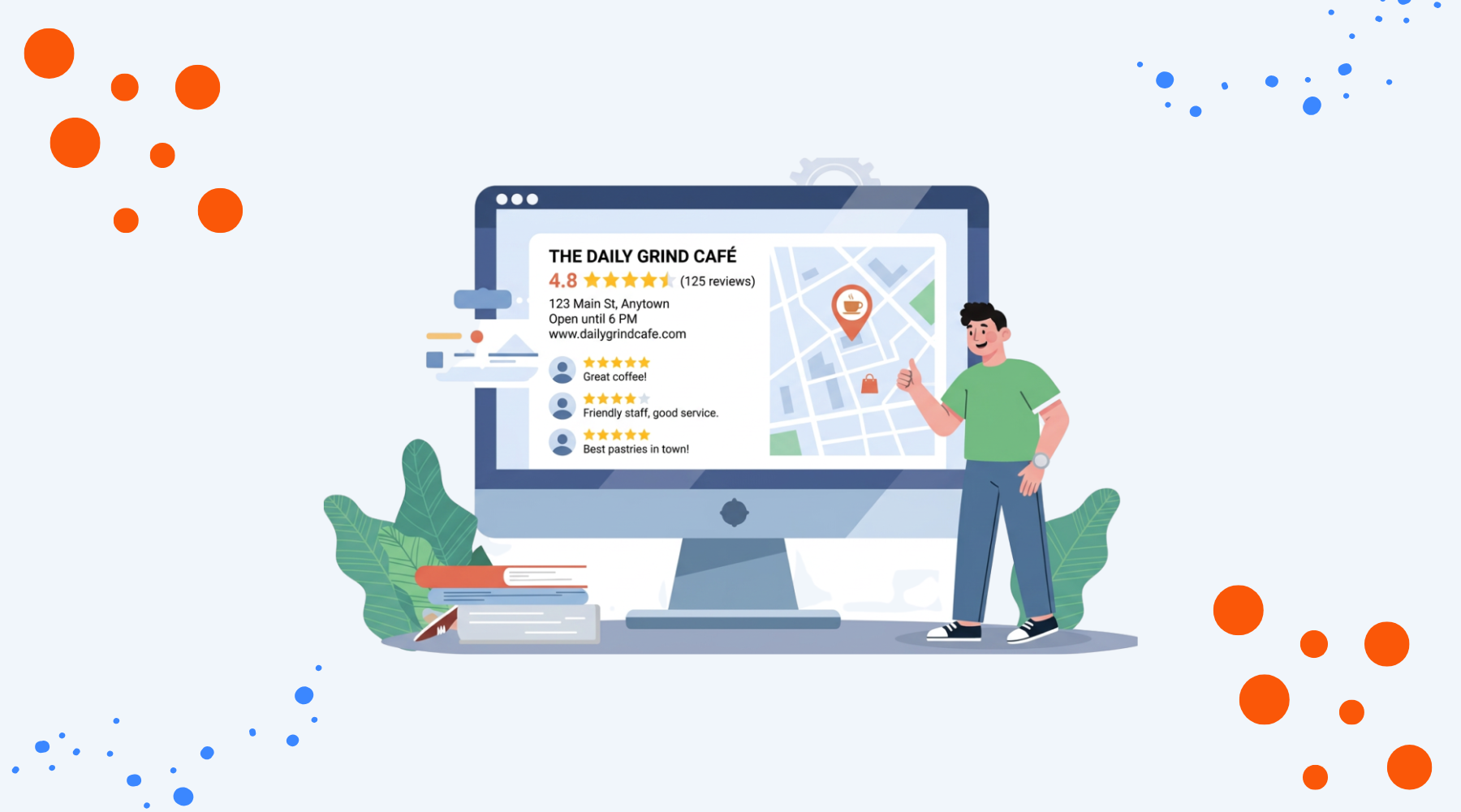
Your GBP listing is shown in Google Maps as well as on the Google Search Engine Results Page (SERP). You have the power to claim your GBP listing as the owner of the business, so if you haven’t done that already, make sure you do - Google will send you a verification postcard or call your business number to verify you’re the owner. In some cases, they may ask for additional verification via a video walkthrough.
Once you’ve unlocked the listing, you can access Insights. You can read more about insights in Google’s help center.
Where to Find Insights
You can view insights for your profiles two ways. Depending on how many locations you have, the metrics you want to see, and the format you want to view, you may prefer one method over another.
1, Performance Report
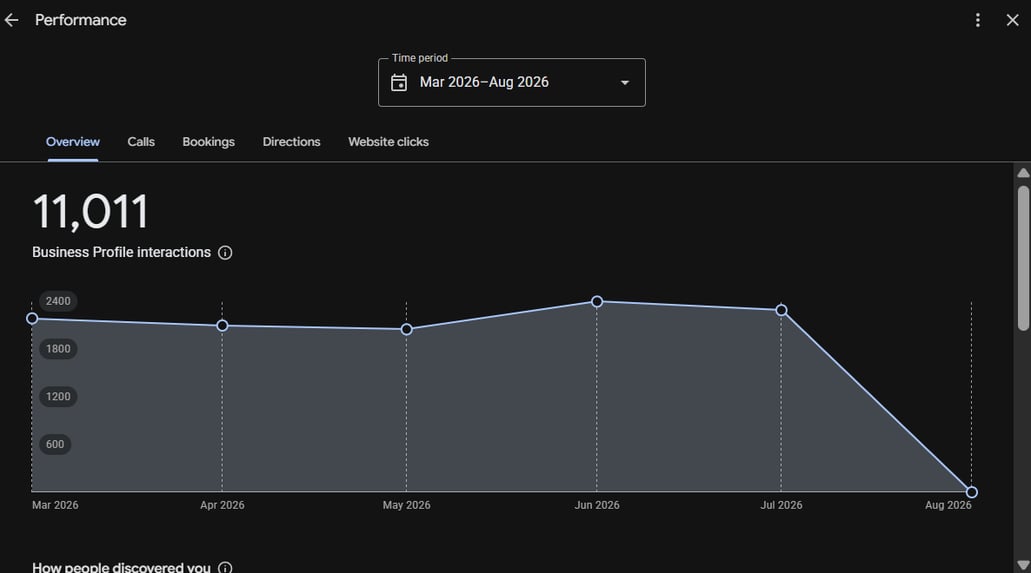
The Performance report for a single Google Business Profile can be viewed in Google search by typing your business name and location. You must be logged into the Google account that’s connected to that listing to view the business settings and this report. At the top of search you will see a box with the heading “Your business on Google” with icons for various options. Click “Performance” to view this report.
This report is great for seeing data at a glance for anytime in the past 6 months. At the top you can select dates, but they are limited to only the most recent 6 months. This view shows graphs and details for queries searched to find your profile. If you are a visual person and want to see quick data, this report will allow you to easily see data overtime for interactions, calls, bookings, directions, and website clicks, as well as a pie chart for where views came from and a list of queries searched with the number of times each was searched in the given period.
Graphs & Data in Report
Interactions
A graph that shows the number of times a user interacted with your profile by taking an action, such as calling, clicking for directions, or messaging you.
Searches
The search terms in this report will provide you crucial insights into how new customers are discovering your business. Review these search terms - are there terms in there which surprise you? Perhaps there are terms which aren’t relevant to your business, or you’re not getting found for the term you’d like to. Knowing what people are searching for will help you understand your customer better and can give you inspiration for content ideas to create.
Views
The number of views on your profile by type of device and Google property. See more details below on the breakdown of categories.
Actions: Calls, Bookings, Directions, and Website Clicks
Separate tabs with graphs for each type of action taken on your profile: calls, bookings, directions, and website clicks. The data can be viewed over time to see trends over the past 6 months. Not all metrics may apply for your profile, so some may be blank if the feature isn’t used.
These reports are also a useful report to look at for a broader time period (e.g. 3 months) to see if there are any trends emerging in terms of popular days of the week.
2, Insights Report
If you want to download data into a spreadsheet for a single location or all your locations at once for any time within the past 18 months, you can use the Insights report. This report is accessible through the Google Business Profile Manager. To download the report, click the check box next to one or multiple locations at once and then click the Actions in the drop-down menu at the top right of the page and select “Insights”. You’ll then be prompted to select dates and download a CSV report.
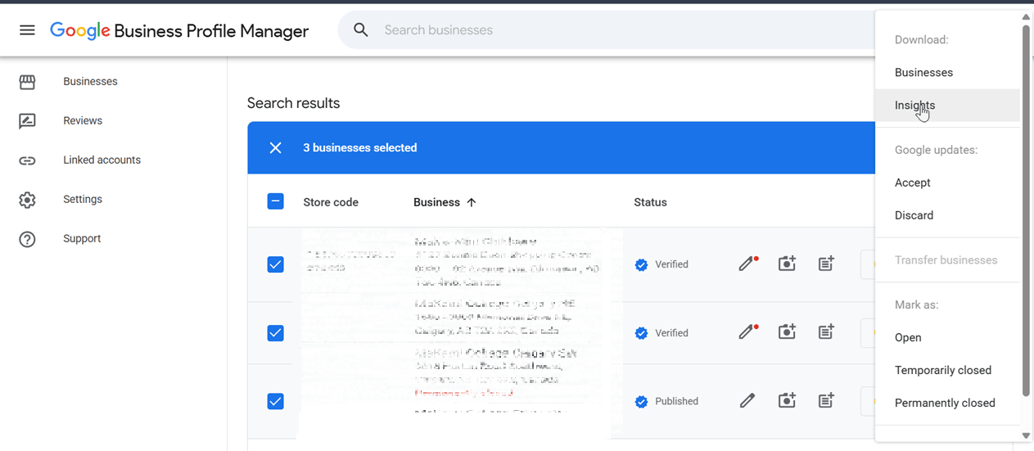
Insights for your profiles include:
Profile Views
Views data for each profile is separated into 4 categories:
- Google Search - Mobile
- Google Search - Desktop
- Google Maps - Mobile
- Google Maps - Desktop
Each metric denotes the number of people that viewed your Business Profile on the device type either in regular Google search results or Google Map. Google Maps may include the app, Maps tab in search or clicking through to Maps from the local map results. Total views no longer show, but you can add together all four categories to get totals.
This data tells you where customers are seeing your listing, and are a good way to help you identify where there’s room for improvement or understand how people find your business.
Actions
The Insights report includes 8 metrics for actions taken on your profiles. While all metrics will show in your downloaded report, some may have no data if they don’t apply to your business type or you’re not using the feature.
The action metrics included in the report include:
- Calls: Number of times users clicked on your phone number to call your business.
- Messages: Number of times users messaged your business using Google’s messaging feature, if turned on.
- Bookings: Number of users who clicked on the booking link to book an appointment with you if you use this feature.
- Directions: Clicks to get directions to your business. This can indicate a high intent to visit your business.
- Website clicks: Clicks to view your website from your main website link, product links or other post links.
- Food orders: The number of clicks to order food directly from the linked platforms.
- Food menu clicks: Clicks on the designated menu links from your profile.
- Hotel bookings: Similar to bookings, this includes clicks for hotel bookings using Google’s hotel booking features.
Profile Features
There are other features available for Google Business Profiles that you should know about. These can help enhance your profiles, increase views and engagement, and provide useful information to your customers.
Posts
- Think of a post on GBP like an update on social media.. Posts are a great way to highlight a special offer or seasonal offering for your business. Post types include: updates, offers, and events. Updates: Think of these like a short blog post to share information about new products or services, seasonal offerings, and other news about your business.
- Offers: These are promotional offers or sales, which include a specific time period for the offer.
- Events: Special events can be shared for a specific date and will be removed after the event has passed.
Reviews
Customer reviews will help your listing get discovered, so make sure you take the time to reply to them. A well-crafted, grateful reply to a 5-star review will be seen by potentially hundreds (or thousands!) of customers, so it’s a great way to show off your customer service. Learn more about managing Google Business Profile reviews for your business.
Summary
GBP is a veritable gold mine of valuable information, and an under-utilised one at that. For local businesses, the insights are key to improving your local search performance and attracting more customers to your business.
Review your GBP listing to make sure you’ve completed it fully — including the category section, which is crucial for SEO and local search.
Need Help with Google Business Profile?
Contact us and we'll get your listings optimized to improve your local search visibility!

Other posts you may be interested in
How to Track and Measure AI Impact on Your Website
.png)
Case Study: Increasing Organic Search Revenue 7x by Reducing Indexing, Using Templates, and Putting Structure First

How to Use the HubSpot AEO Tools to Grow Your Visibility in AI Search

.png)
.png)
.png)