Published: 16 December, 2025
- Share
-

-

-

If you’ve been exploring HubSpot Breeze AI, you’ve probably noticed the built-in Breeze Assistant. It’s helpful for quick tasks, but let’s be honest. It’s a little vanilla. Think of it as the default assistant you get out of the box: competent, but not tailored to your brand or your specific goals.
That’s where creating a custom HubSpot Breeze AI Assistant comes in. By building your own, you can make an assistant that truly works for you, understands your brand voice, knows your competitors, and even focuses on specific areas like SEO, email campaigns, or content creation.
Here’s how custom Breeze Assistants work, why they’re worth the effort, and where we typically see the most value.
What Is a HubSpot Custom Breeze Assistant (and Who Has Access)
A HubSpot Custom Breeze Assistant is essentially your very own AI helper inside HubSpot that you can train and tailor. Unlike the default Breeze AI Assistant that comes preloaded with general knowledge, a custom assistant allows you to upload data, set goals, and give it context about your business. That might include brand guidelines, campaign history, competitive insights, or internal processes.
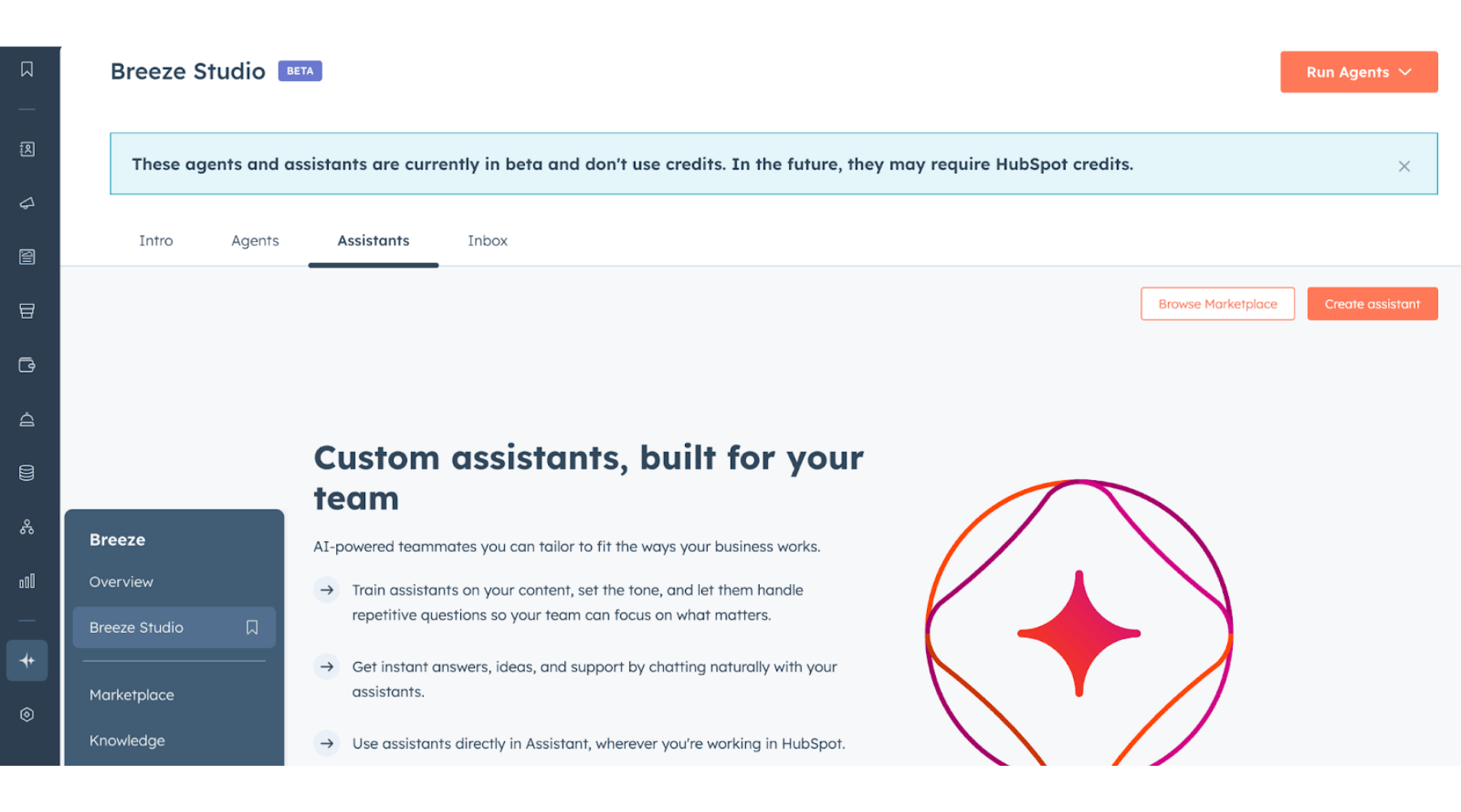
Currently, this feature is accessible to HubSpot users who have access to Breeze AI in their plan. If you’re unsure whether your account includes it, check with your HubSpot rep or your account settings under the AI tools section. Creating a custom assistant is ideal for marketing teams, content creators, and anyone looking to get more precise, actionable insights from HubSpot’s AI tools.
This feature is especially useful for teams that live in HubSpot every day. Marketing, sales, service, and operations teams all benefit because the assistant works directly where their data already lives, instead of forcing them to jump between tools.
Why Create a Custom Breeze Assistant
The default Breeze Assistant is great for general tasks, but it’s not tailored to your brand, your audience, or your business goals. When you create a custom HubSpot Breeze AI Assistant, you’re essentially building an AI team member who knows your business inside and out.
Some of the key advantages include:
- Brand-specific guidance and consistency: By feeding your assistant brand voice guidelines, messaging, and examples, you reduce inconsistency across emails, content, and campaigns. This is especially helpful as teams grow or bring on new hires.
- Competitor awareness: You can provide your assistant with details about your competitors, including positioning, messaging, product focus, and target audiences. This allows the assistant to help you identify gaps in your content, suggest ways to differentiate campaigns, and avoid sounding like everyone else in your space.
- Goal-oriented results: When assistants are built around a specific goal, teams get more reliable and useful outputs. A focused assistant learns faster, applies context more consistently, and avoids the generic responses that come from trying to do everything at once. Over time, this makes the assistant easier to trust and easier to use across day-to-day work.
- Direct access to your CRM data: Custom assistants can now read HubSpot CRM records, which means responses are grounded in real contact, deal, and company data. Instead of generic advice, the assistant can reference actual account context.
- Less time spent searching for answers: Instead of digging through documents or reports, teams can ask the assistant questions and get answers grounded in your actual data and processes.
- Better focus on high-value work: When the assistant handles research, summaries, and first drafts, your team can spend more time on strategy, review, and decision-making.
If you’re already investing in Breeze Intelligence, custom assistants are where you start to see real value.
Best Practices for Building a Custom Assistant
When it comes to building your own Breeze AI Assistant, the key is in the details. Here are a few best practices we recommend:
- Make it goal-specific: Rather than creating one assistant to do everything, define what you want it to be good at. SEO, sales support, onboarding, or campaign planning are all good starting points.
- Add detailed context about your brand: Include your brand’s tone, preferred language, industry jargon, and even examples of past campaigns.
- Incorporate competitor data: If your assistant understands who you compete with and how your market works, its suggestions become far more actionable.
- Upload relevant content: Feed it blogs, emails, FAQs, brand documentation, or campaign reports so it understands your style and strategies.
- Test and iterate: Like any AI tool, your assistant improves with use. Monitor its suggestions, refine prompts, and update information regularly.
Following these best practices ensures your assistant is not just smart but also relevant and practical.
How to Create a Custom Breeze Assistant
Building your own HubSpot Breeze AI Assistant is straightforward. Here’s a simple roadmap:
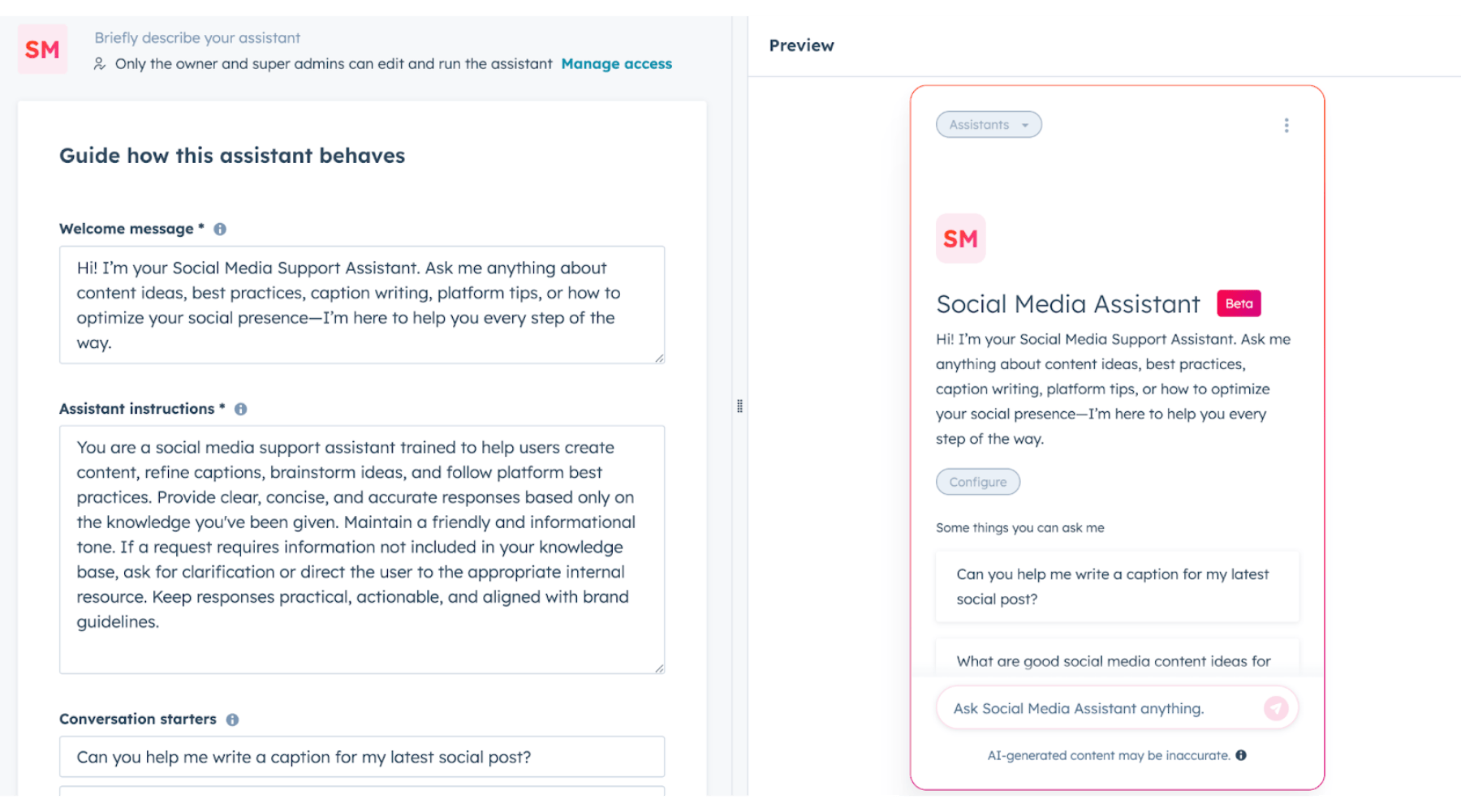
- Access the Breeze tab on the left hand side menu in your HubSpot account, click on “Breeze Studio”, then select “Assistant”. Click on “Create Assistant”. Simple!
- Define the assistant’s purpose: Are you focusing on content, SEO, email, or another marketing function?
- Provide context about your brand: Upload relevant data, define your tone, and include references your assistant should know.
- Add competitor insights: This helps your assistant suggest strategies that keep you ahead.
- Refine and train: Run initial prompts and refine based on outputs. Adjust its knowledge as needed.
- Deploy and integrate: Start using your assistant in campaigns, reports, and workflows to see it in action.
Once it’s live, the assistant becomes part of your day-to-day HubSpot experience, supporting campaigns, conversations, and reporting.
Sample Custom Breeze Assistants to Get Started
If you’re wondering where to begin, here are a few ideas for HubSpot Breeze Assistants you can create:
SEO Strategist Assistant
This assistant helps teams stay aligned on keyword focus, content priorities, and on-page optimization. For example, when you’re ready to prompt it to create new content, it can focus on your high-level keywords and optimize your page based on your overall SEO strategy.
Email Marketing Assistant
An email-focused assistant can help draft subject lines and copy that stays on brand. It can also reference past performance and messaging, so it can recommend options that had the best overall engagement.
Sales Insights Assistant
For sales teams, this is one of the highest-impact use cases. A custom assistant can summarize calls, highlight key points, suggest follow-up steps, and more importantly, analyze CRM activity to spot patterns across deals and contacts. That might include common objections, engagement trends, or signals tied to deal progression. By tying conversations to real pipeline data, reps get clearer next steps and managers get better insight into what’s driving results.
Service and Onboarding Assistant
Support and onboarding teams often answer the same questions repeatedly. A service-focused assistant can provide setup steps, FAQs, and internal documentation quickly, so your rep doesn’t have to scramble looking for answers. This improves response time and creates a more consistent customer experience.
Campaign Analytics Assistant
This assistant helps teams interpret reports and dashboards by translating performance data into insights. It’s especially helpful for people who don’t live in HubSpot reports every day.
Starting with one or two focused assistants makes it easier to see value and expand from there.
Take Your HubSpot AI Further
The default Breeze Assistant is a helpful starting point, but custom assistants are where HubSpot AI becomes genuinely useful. With the right context and focus, a custom Breeze Assistant can support marketing, sales, and operations in a way that actually reflects how your business works.
If you want help setting up custom Breeze Assistants that actually deliver value, reach out to our team. We’ll help you define the right use cases and build assistants that support your goals.

Other posts you may be interested in
CRO:NYX Digital Is Heading to HubSpot UNBOUND

How to Track and Measure AI Impact on Your Website
Why Industry-Specific CRM Expertise Matters: CRO:NYX Digital Earns HubSpot Banking Industry Specialist Designation

.png)
.png)
.png)