



What Does a HIPAA Compliant HubSpot Setup Involve?
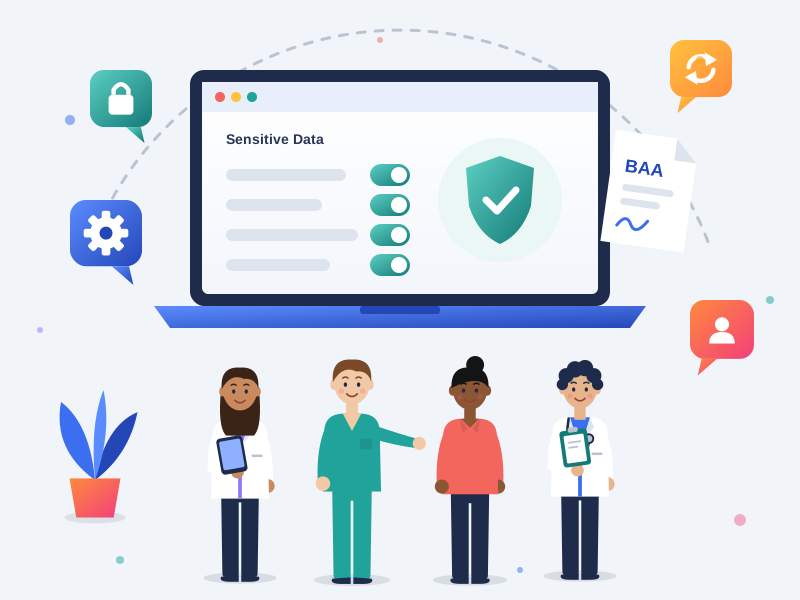
A HIPAA compliant HubSpot setup combines three things HubSpot requires (an Enterprise subscription, Sensitive Data turned on and HubSpot's Business Associate Agreement accepted) with the configuration that decides whether patient data actually stays protected. Turning on Sensitive Data is step one. The properties, permissions, forms, workflows and integrations around it are what make a portal hold up.
Why the order matters
Some setup decisions can't be undone. Once you indicate that your portal stores HIPAA data, it can't move to another HubSpot data center. Sensitive Data only protects files uploaded after it's turned on. Existing properties can't be converted into sensitive ones.
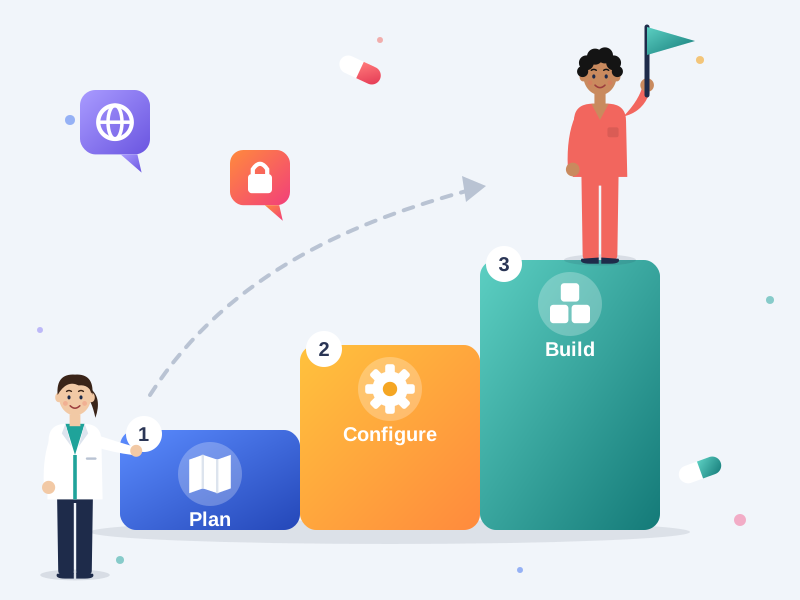
That's why we plan the data model and hosting first, then configure, then build. Getting the order right avoids rework and gaps that are hard to fix later.
For the full background on what HubSpot does and doesn't cover, read our guide: Is HubSpot HIPAA Compliant?
Where Does HubSpot Fit Alongside Your EHR?
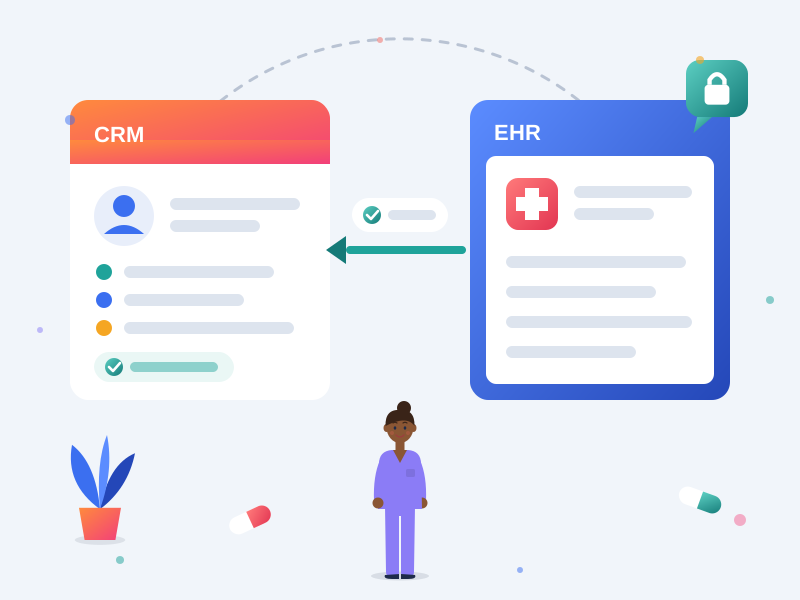
HubSpot should manage relationships, follow-up and reporting, while your EHR or practice management system stays the clinical record. Keeping each system in its lane is the foundation of a HIPAA-ready setup.
What belongs in HubSpot
- Contact and organization details, inquiry source and lifecycle stage
- Referral sources and referral partner relationships
- Engagement, such as emails, page views and event attendance
- Status updates synced from your EHR, such as "appointment booked" or "admitted", rather than the clinical detail
- Sensitive inquiry details your team needs, stored only in protected Sensitive Data properties
What stays in your EHR
- Diagnoses, treatment plans and clinical notes
- Lab results, prescriptions and medical history
- Full medical record numbers and insurance member IDs, unless there's a clear reason to store a reference
We agree these boundaries with you before anything is built, then design forms, properties and integrations around them.

What's Included in Our HubSpot Sensitive Data Setup?
Our HubSpot Sensitive Data setup covers everything from your data map to staff training, so your portal is protected and usable from day one.
- Data map and data boundaries: what belongs in HubSpot, what stays in your EHR or practice management system, and which fields hold sensitive data
- Hosting and data center: confirming where your data should live before HIPAA data is flagged, including US, Canadian, EU and Australian data centers
- Account setup: Enterprise subscription review, Sensitive Data turned on, HIPAA status confirmed and HubSpot's BAA accepted
- Sensitive and Highly Sensitive properties: new custom properties for each type of health information, built for reporting and routing
- Access control: field-level permissions, user roles, limited super admins and two-factor authentication for every user
- Forms and files: forms mapped to sensitive properties, protected attachments, and rules that keep health information out of the files tool
- Workflows and notifications: automation designed around Sensitive Data limits, with no health details in tokens, alerts or subject lines
- Integrations: EHR, scheduling, call tracking and form tools reviewed for BAA or DPA coverage and limited to the minimum data they need
- Website tracking: a review of HubSpot tracking code and ad pixels on intake, appointment and condition pages
- Documentation and training: a written record of your configuration and short training on what goes where, for your team and your compliance lead
How Does the HubSpot BAA Setup Process Work? 6 Steps
-
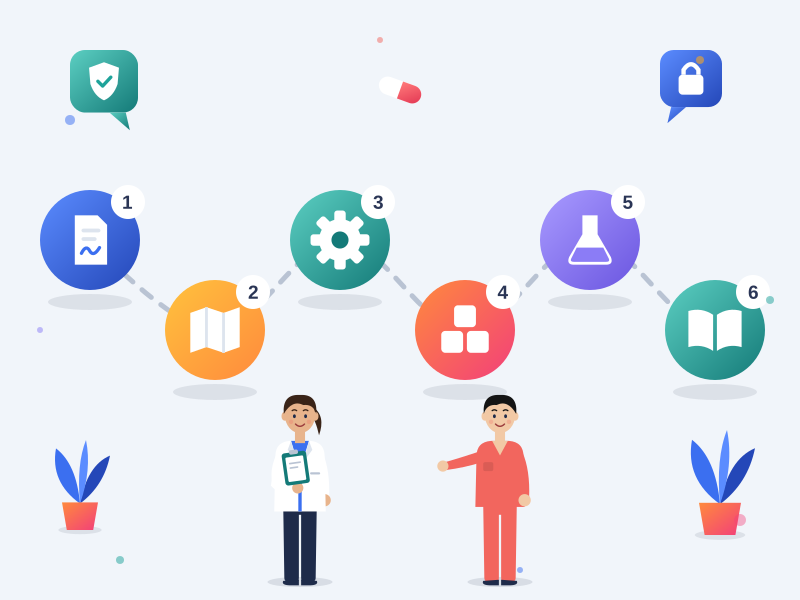
Agreements first. We sign a Business Associate Agreement (US) or data processing agreement (other regions) with you before working in any portal that may hold patient data.
-
Plan. We map your patient and customer journey, decide what data HubSpot needs and confirm your data center.
-
Configure. We turn on Sensitive Data, confirm your HIPAA status, accept HubSpot's BAA and set up properties, permissions and security settings.
-
Build. We build forms, workflows, pipelines and reports around your data boundaries, then connect your integrations with the right agreements in place.
-
Test. HubSpot sandboxes don't support Sensitive Data, so we test logic with test records first, then roll out in stages.
-
Hand over. You get documentation of your setup and training for your team, plus a review with your compliance or security lead.

Setting Up a New Portal or Fixing an Existing One?
Starting fresh or moving to HubSpot: we build your portal HIPAA-ready from the start. If you're migrating from another CRM, we map sensitive data before it moves, so it lands in protected properties instead of standard fields.
Already on HubSpot: retrofitting a live portal is harder than starting fresh, because your properties feed workflows, lists, reports and integrations your team relies on. We start with a HubSpot HIPAA audit to find where patient data sits today, then make changes in a planned order so nothing breaks along the way.

Who Needs a HIPAA-Ready HubSpot Portal?
- Healthcare providers and multi-location clinics capturing patient inquiries, referrals and appointments in HubSpot
- Treatment and behavioral health organizations with sensitive inquiries and stricter consent rules, including 42 CFR Part 2 in the US
- Health tech, digital health and healthcare SaaS companies whose customers expect proof that patient data is handled properly
- Organizations outside the US working under PHIPA, PIPEDA, GDPR or the Cayman Data Protection Act, where HubSpot's data processing agreement and data residency matter more than a BAA
Learn more about our HubSpot for healthcare services.
HIPAA Compliant HubSpot Setup FAQs
Which HubSpot subscription do we need for a HIPAA compliant setup?
You need an Enterprise subscription. Sensitive Data, which HubSpot requires for storing protected health information, is only available on Enterprise editions, such as Marketing Hub, Sales Hub and Service Hub Enterprise or Smart CRM Enterprise.
How is HubSpot's BAA set up?
HubSpot's Business Associate Agreement is part of its Sensitive Data Terms. During setup, a Super Admin accepts it in your account's security settings when turning on Sensitive Data and confirming your HIPAA status.
Do you sign a BAA with us too?
Yes. As your HubSpot partner, we sign a Business Associate Agreement before working in a portal that may hold patient data. Outside the US, we sign a data processing agreement.
Can we still use automation and personalization?
Yes, with limits. Workflows can use sensitive properties for enrollment filters and branches, but sensitive values can't appear in personalization tokens or be copied between properties. We design your automation around non-sensitive properties wherever possible.
Why do you confirm our data center before setup?
Once you indicate that your portal stores HIPAA data, it can't move to another HubSpot data center. Confirming hosting first makes sure your data lives where your organization and regulators need it to.
Does a HIPAA-ready setup make us HIPAA compliant?
It puts the right HubSpot configuration in place, but compliance also depends on your own policies, training and agreements with other vendors. We document the setup so your compliance team can include it in their review.
How long does a HIPAA compliant HubSpot setup take?
Most setups take about 4 to 8 weeks, depending on the size of your portal, how many systems you connect and whether we're starting fresh or fixing an existing setup. We confirm the timeline after the planning step.
What's the difference between Sensitive and Highly Sensitive Data in HubSpot?
Both are protected property types for regulated data. Highly Sensitive properties add an extra step: users have to click to reveal a value before viewing or editing it. We decide which fields need which level during planning.
Can we keep patient data out of HubSpot entirely?
Some organizations choose to keep protected health information in the EHR and sync only status updates into HubSpot. That reduces risk, but contact details combined with health context can still count as PHI, so we review your setup against your obligations either way.