.png)
Published: 7 July, 2026
- Share
-

-

-

A few clients have asked us the same question recently: "We keep hearing about connecting Claude to HubSpot. What does it actually do, and is it worth setting up?"
Short answer: yes, and it's one of the more practical AI additions to land in the HubSpot ecosystem this year. It’s not a chatbot bolted onto your CRM. It is a way to talk to your CRM in plain English, pull insights without building a report, and push updates back into HubSpot without clicking through five screens. Below is what it can do, why we think it's worth your time, how to get the most out of it, and a real workflow we're building for one of our clients.
What the HubSpot Claude Integration Actually Is
It helps to know there are two different "HubSpot + Claude" setups, because they solve different problems.
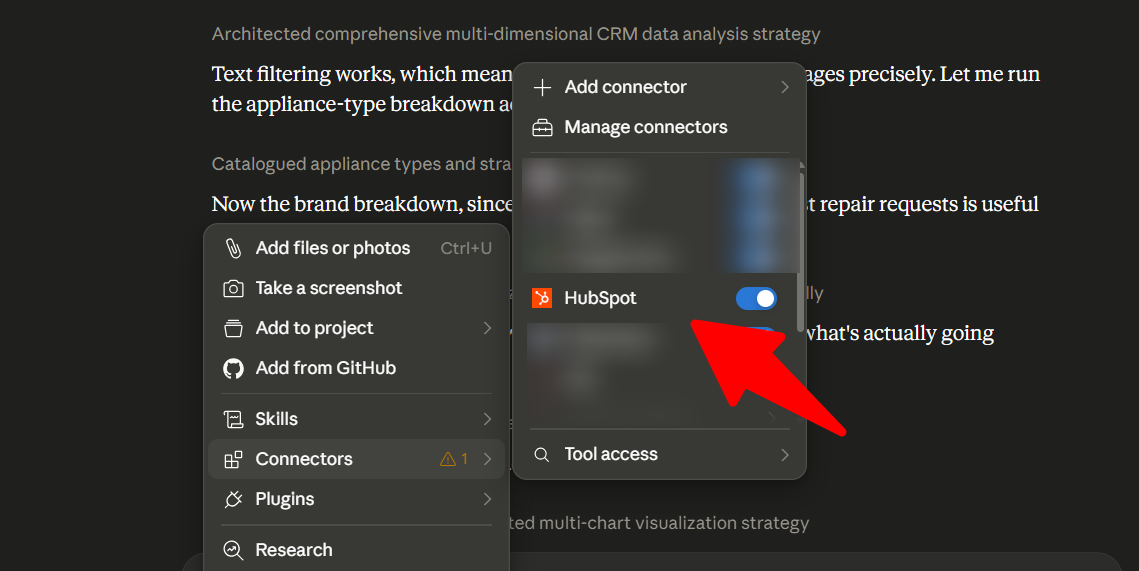
1. The HubSpot Connector for Claude. This is the official, no-code connector that went generally available in April 2026. You turn it on inside Claude's settings, authorize it with HubSpot via OAuth, and from then on Claude can see and act on your CRM data right inside the chat window. It respects the permissions of whoever is signed in, so a rep only sees what a rep would normally see. This is the one most teams should start with.
2. The HubSpot MCP server / API route. This is the programmatic path, used with Claude Code, or automation tools like n8n and Make, or direct API calls. You reach for this when you want something to run automatically on a trigger or a schedule, rather than a person prompting Claude in chat. We'll come back to this in the client example, because it matters.
The distinction in one line: the connector is for conversation, the MCP/API route is for automation.
What You Can Do With This Integration
Once connected, the practical wins fall into a few buckets.
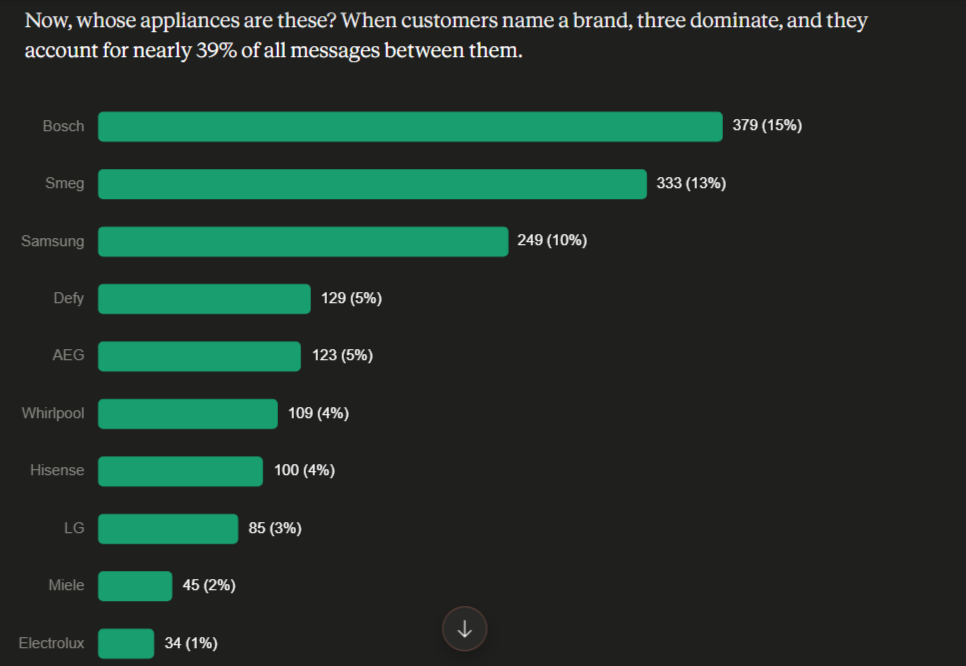
Analyze your data without building a report. You can ask things like "How long did contacts spend in each lifecycle stage last quarter?" or "Which campaign generated the most revenue last month?" and get an answer in seconds, often with a chart, instead of waiting on a custom report or a BI analyst.
Manage records from the chat window. Claude can create and update contacts and deals, and log notes, tasks, and activities directly into HubSpot. A rep can say "log a follow-up task for the Acme deal for Thursday" and it's done.
Work from real engagement history. It can read the emails, calls, meetings, and notes tied to a record, which means it can prep you for a meeting or summarize where a deal stands using actual context, not guesses.
Speed up the busywork. Meeting prep that used to take fifteen minutes drops to about thirty seconds. Pipeline reviews, follow-up drafts, and contact summaries all get faster.
Why You Should Be Integrating HubSpot with Claude
The honest case for it is time and friction. Most of the value isn't some futuristic feature; it's that the small, repetitive CRM tasks that eat a sales or marketing day get faster. Reps stop context-switching between tabs. Marketers stop waiting on someone else to pull a number. Managers can ask a question of the data instead of configuring a dashboard to answer it.
It is also low-commitment to try. The connector is no-code, takes only a few minutes to switch on, and works within your existing permissions, so you can pilot it with one team before rolling it out.
Best Practices to Keep in Mind
A few things we've learned that make the difference between "neat demo" and "actually useful":
Be specific in your prompts. "Show me deals" is weaker than "Show me deals in the negotiation stage closing this month, sorted by amount." Claude works from the same data either way; the specificity is what makes the answer usable.
Keep a human in the loop for high-stakes changes. Reading data and drafting are safe to automate freely. Moving deal stages, changing lifecycle stages, and sending outbound emails are worth a quick human confirmation. Treat low-risk actions (tagging, enrichment, summarizing) as fully automatable and high-risk ones as approve-first.
Know the current limits so you don't get surprised. As of mid-2026 the connector cannot delete records, caps bulk create/update at 10 records at a time, and does not yet support custom objects, unstructured data, or associated engagements. Plan around these rather than fighting them.
Mind your sensitive data. The connector does not access HubSpot Sensitive Data properties. Importantly, if your account has Sensitive Data turned on, Claude loses access to engagement data (emails, calls, meetings) entirely. If you're in a regulated industry, sort this out before you build anything on top of it.
Start with one workflow, not ten. Pick a single repetitive task, prove it, then expand. The teams that get value move fast on one thing instead of trying to boil the ocean.
A Real Integration Example: Automating Lead Qualification
Here's a workflow we're building, because it shows both what's possible today and where the edges are.
One of our healthcare clients has a simple process for deciding when a lead is ready to move forward. He does it by replying to form-submission notifications in the team's shared inbox with a short status update. Two phrases matter:
- When he writes "VOB" (verification of benefits), for example, "VOB has begun", that lead should move to the Sales Qualified Lead lifecycle stage.
- When he says treatment is confirmed, that contact should get a deal created and marked Closed Won.
Today this is manual. Someone reads the client's message, finds the form submission, searches for that person by email or phone, and updates the record by hand. It works, but it's slow and easy to miss.
What Claude can do here. The actions themselves are all natively supported: updating a contact's lifecycle stage, adding the client’s message as a note on the contact, and creating a Closed Won deal. The interesting part is the trigger.
- Today, with the connector (human-in-the-loop): you hand Claude the client's message in chat. Claude reads the intent, finds the matching contact, moves them to Sales Qualified Lead, adds the client's note to the record, and, when he confirms treatment, creates the Closed Won deal. That's already faster and less error-prone than the manual lookup, and it needs zero build.
- Next step, fully automated (MCP / automation layer): a watcher on the inbox passes each of the client's replies to Claude, which classifies the intent and extracts the lead's email or phone, then writes the change straight into HubSpot via the API. Add a one-click approval before the Closed Won deal is created. This is the hands-off version, and it's where the MCP/API route earns its keep, because that layer can read inbox messages directly.
There's one important caveat for this type of client: Organizations operating in a healthcare context often handle verification of benefits and treatment confirmations that can involve protected information. Before automating anything against real records, this needs a data privacy and compliance review, including HubSpot's Sensitive Data settings and the appropriate agreements with both vendors. We'd never point an automation at patient data without that step cleared first.
Getting Started
If you want to try it, the fastest path is the official connector: have a HubSpot admin enable it for your organization, connect it inside Claude's settings, and start with one well-defined task, a pipeline summary, meeting prep, or follow-up drafting. Once that's paying off, the automation routes are there when you're ready to take a human out of the repetitive loop.
If you'd like help scoping a workflow like the example we shared for your own team, that's exactly the kind of thing we set up. Contact us today to get started.

Other posts you may be interested in
Top Takeaways from UNBOUND 2026
CRO:NYX Digital Is Heading to HubSpot UNBOUND

How to Track and Measure AI Impact on Your Website

.png)
.png)
.png)